Autocut · AI video editor
Drop in rough footage. Get the edit.
Autocut is the AI video editor: it reads your transcript, asks what you want, and edits on a real timeline you can keep refining.
Closest to an AI editor for YouTube
Invite-only while we're in beta. Ask and we'll email you when there's a spot.
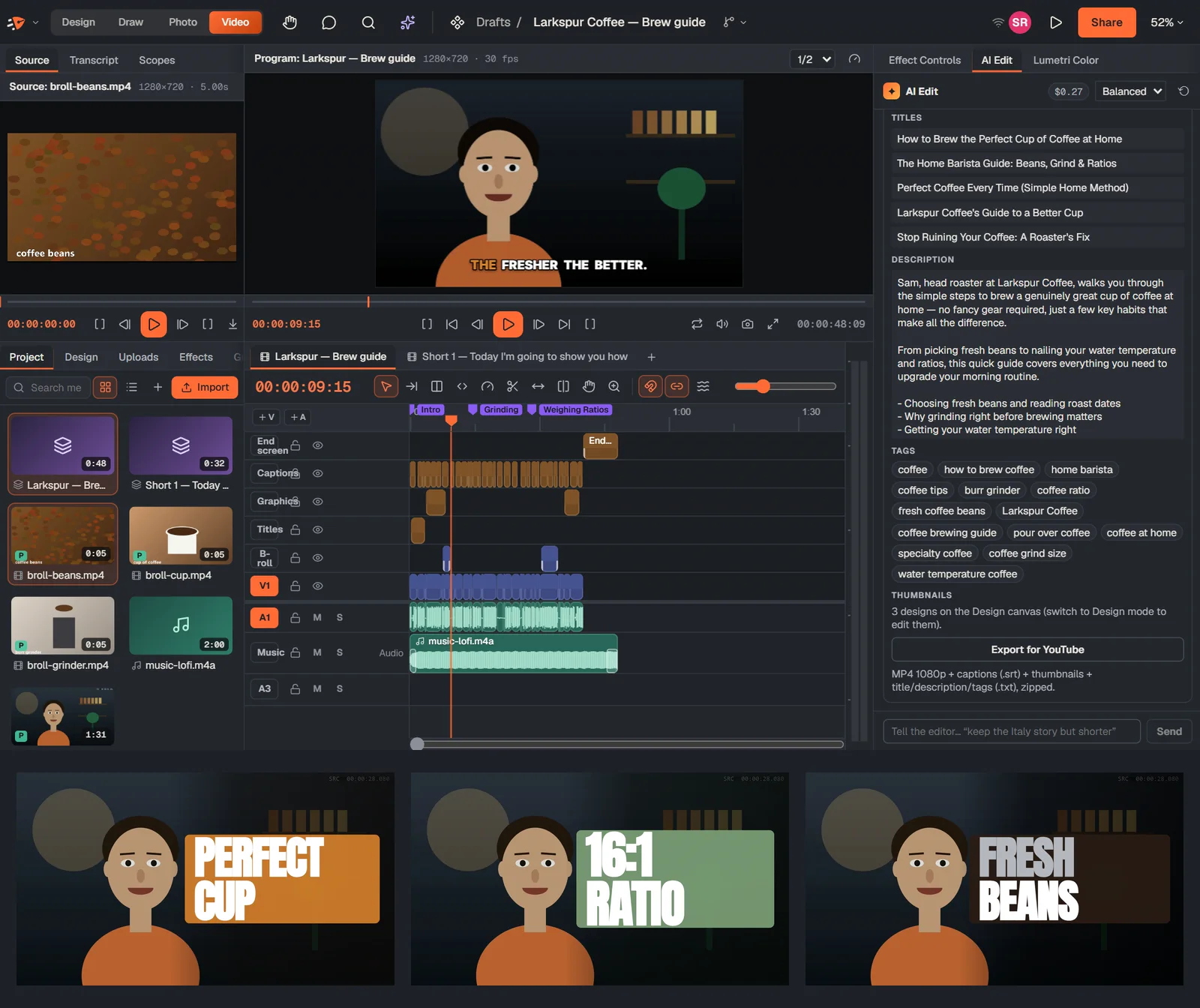
What’s inside Autocut
Drop in rough footage. It asks a few questions, then finishes the edit for you.
It asks first
- Format, pacing, tangents and takes: quick-pick answers
- A plan you can review before anything changes
- Or just “clean it up” with no questions
Then edits
- Fillers, long pauses, repeated takes and tangents
- Captions, chapters, punch-ins and B-roll from your bin
- Music under your voice, loudness normalized for YouTube
And packages
- Vertical Shorts with face-following reframing
- Three thumbnail designs you can edit
- Title, description with chapters, and tags
Same file, every studio
Keep going without exporting.
Autocut is one workspace of Speedish Design. The same file opens in every other studio, with your team in it live.
Questions
Is it free?
Yes. Every studio is free while Speedish Design is in beta.
Can I undo what the AI did?
Every AI step is one undo, and Revert AI edit restores the original cut.
What did it do in your own test?
A 1:32 rough cut with fillers, pauses, a flubbed take and a tangent became a 47-second edit with 0 fillers left, captions, 3 chapters, music ducked under speech, a vertical Short, 3 thumbnails and a title, description and tags.
Bring one file. See it in every studio.
Invite-only while we're in beta. Ask and we'll email you when there's a spot.